

Before you start the pairing process, make sure your mobile phone has Bluetooth® enabled and is discoverable by other devices. To complete the pairing process, you’ll need the applicator's twist cap, which has a serial number and a 6-digit PIN code printed on it.
Watch the video below to see how to pair the sensor with your app, or continue reading for step-by-step instructions.
Watch the video tutorial to pair your sensor with your smartphone

Here’s how to pair the sensor with the app


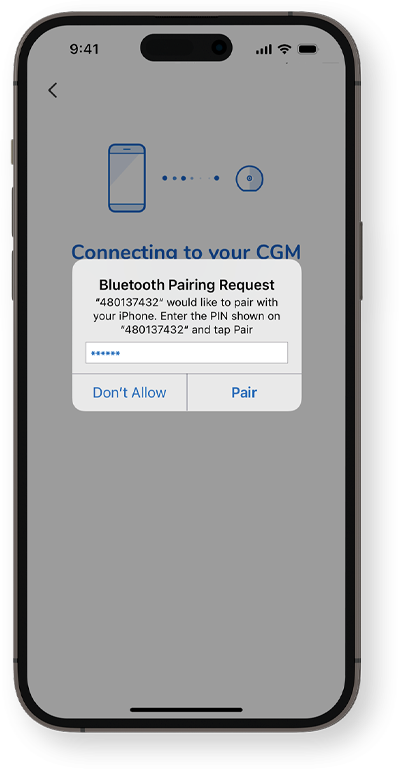


The sensor is now successfully connected to the Accu-Chek SmartGuide app! Next, see how to calibrate your sensor.
How helpful did you find this training?
Continue Training
Previous step

Get in touch
Give us a call
Phone:1800 434 121 (toll free)
Hours: 9:00am to 5:00pm AEST
Monday to Friday excluding public holidays